

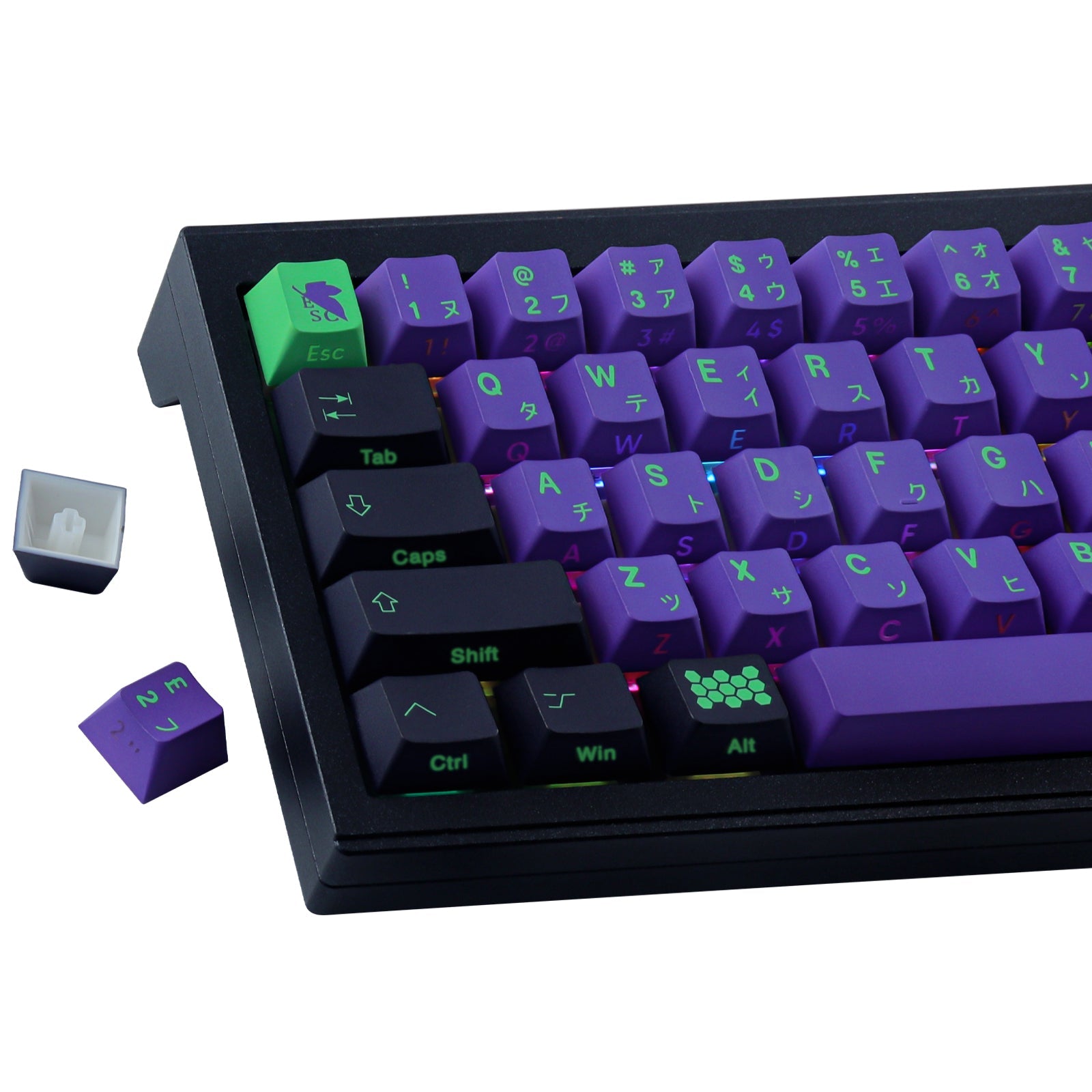
You want your keyboard to stand out and feel great to use. The EVA-01 Side Light Keycaps give you bold style, strong PBT material, and smooth comfort. Side lighting adds a cool glow. These keycaps fit many layouts, so you get a custom look that works with your setup.
Key Takeaways
- EVA-01 Side Light Keycaps have a special look from anime. They make your keyboard look different and cool. They also help your hands feel good when you type for a long time.
- These keycaps use strong PBT material. This means they do not get damaged easily. They keep looking nice and are simple to clean.
- The side lighting makes your keyboard look even better. It gives a bright glow that looks best with RGB backlighting. This is great for gamers and people who love keyboards.
EVA-01 Side Light Keycaps Overview

Design and Purpose
You want your keyboard to look unique and feel great every time you type. EVA-01 Side Light Keycaps take inspiration from the bold colors and futuristic style of the EVA-01 mecha. If you love anime or just want something different, these keycaps bring a fresh vibe to your desk. The set targets keyboard fans who care about both looks and performance. You get a set that fits many mechanical keyboards, so you can show off your style whether you’re gaming or working.
Here’s a quick look at what makes these keycaps stand out:
| Feature | Description |
|---|---|
| Material | High-quality, thick PBT material (about 1.6mm thick) |
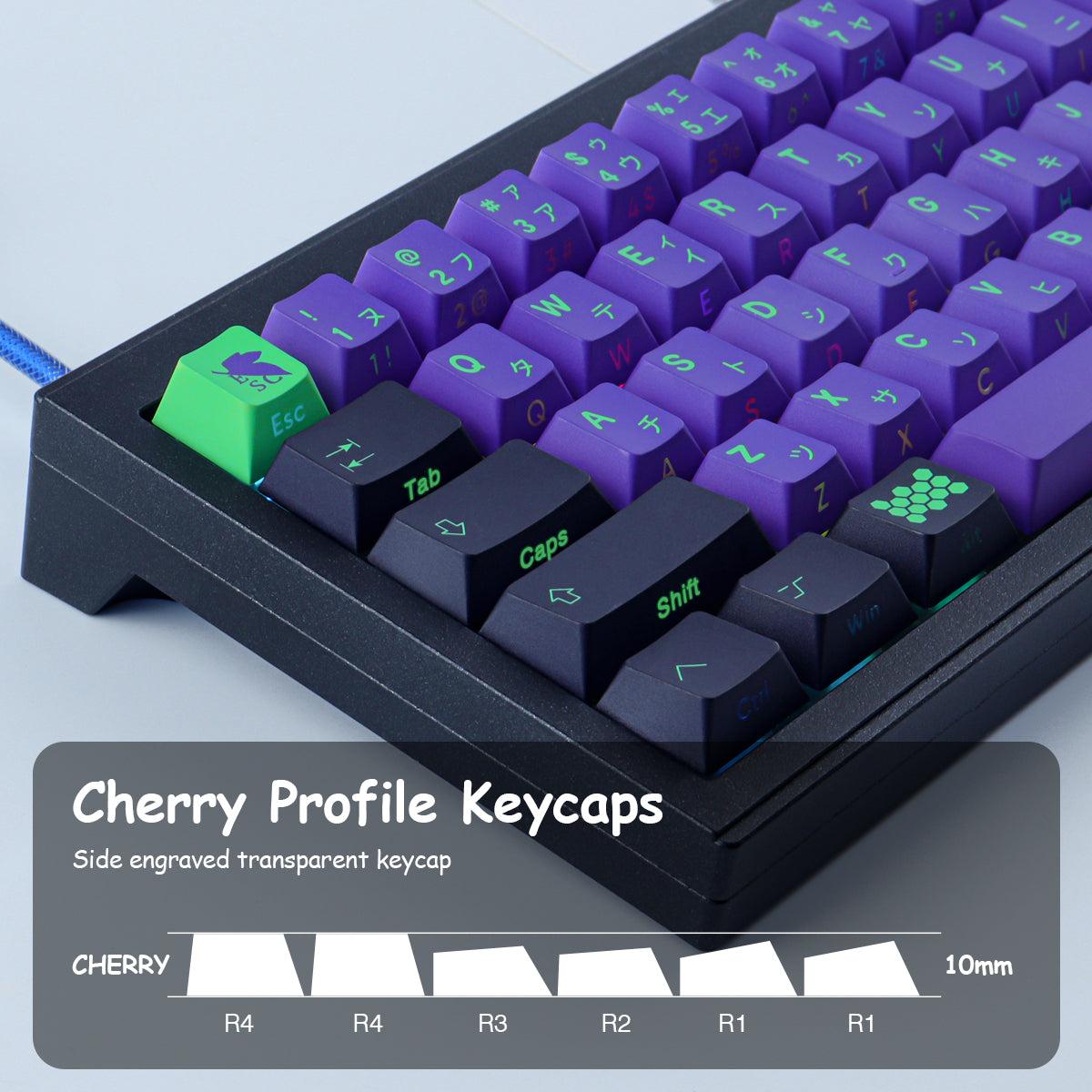
| Profile | Cherry profile design, taller and shaped for comfort |
| Compatibility | Works with 40%, 60%, 65%, 70%, 80%, and full-size layouts |
| Ideal Use | Perfect for Wooting 60HE and other mechanical keyboards |
Key Features
You get a full set with 128 keys, so you can cover almost any layout you want. EVA-01 Side Light Keycaps offer a side lighting effect that adds a cool glow to your keyboard. The price is easy on your wallet, too. Compared to other Evangelion-themed sets, you save a lot:
| Product | Price (USD) |
|---|---|
| EVA-01 Side Light Keycaps | $28.88 |
| Other Evangelion Keycap Sets | $84.96 |
You don’t have to worry about fit. These keycaps work with most Cherry MX mechanical keyboards. You get style, comfort, and value all in one package.
Technical Specs
PBT Material and Dye-Sublimation
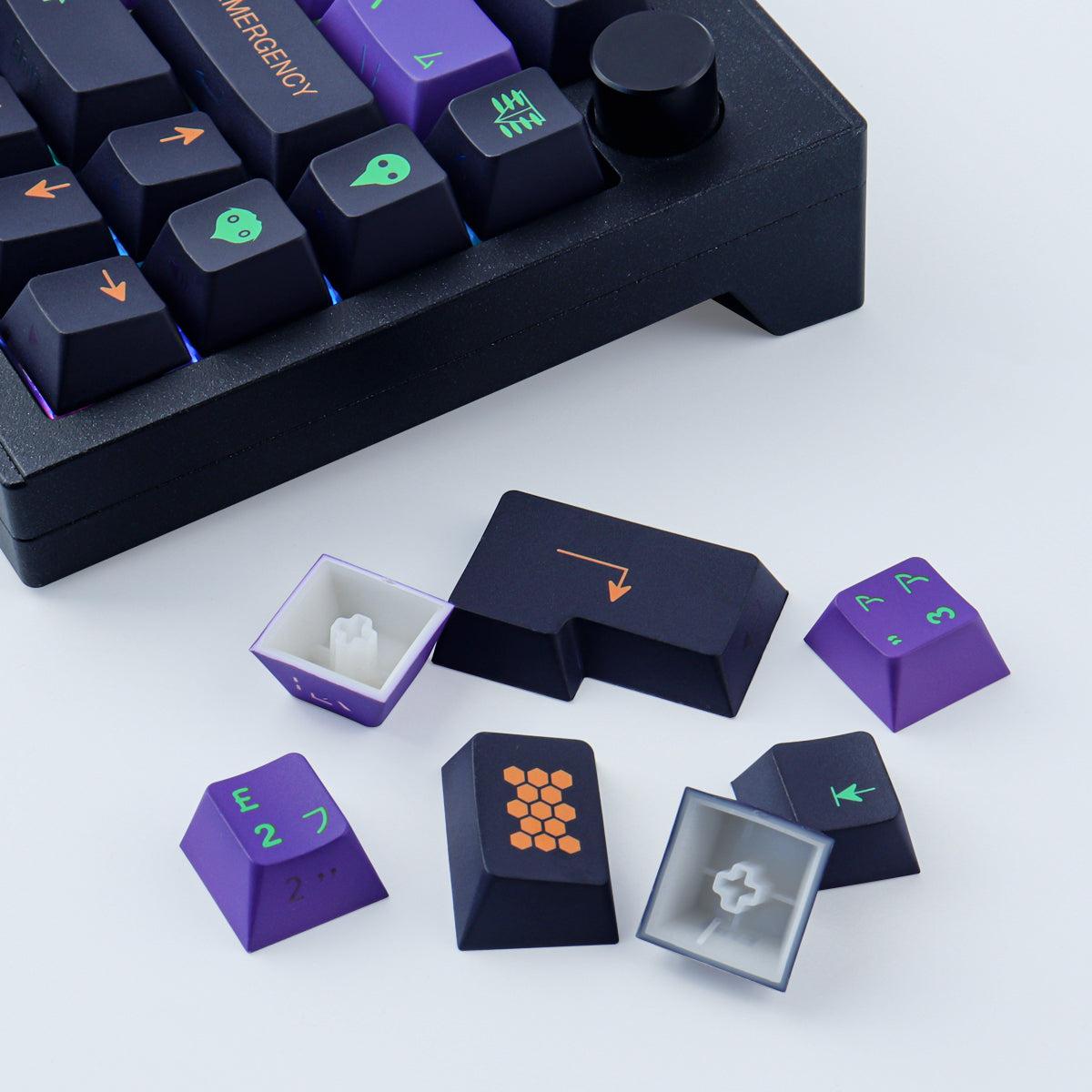
You want keycaps that last and look sharp. EVA-01 Side Light Keycaps use PBT, which is a tough plastic. PBT resists wear, so your keycaps won’t get shiny or fade after lots of use. The legends on each key use dye-sublimation. This means the letters and symbols are baked into the plastic, not just printed on top. You can type every day, and the legends stay clear and bright.
Tip: If you spill something or your hands get sweaty, PBT keycaps are easy to clean. You just wipe them off, and they look new again.
Side Lighting Effect
Want your keyboard to glow? These keycaps have a special side lighting design. Light from your keyboard’s LEDs shines through the sides of each keycap. This creates a cool halo effect around your keys. The glow makes your setup look futuristic, especially in a dark room. You don’t just get light from the top—you get a full, colorful experience every time you type or game.
- The side lighting works best with keyboards that have RGB backlighting.
- You can choose different colors and effects to match your style.
- The glow is soft, so it won’t hurt your eyes.
Keycap Thickness and Profile
Thickness matters for how your keyboard feels. EVA-01 Side Light Keycaps have a thickness of about 1.6mm. This makes them sturdy and gives each key a solid feel when you press it. The Cherry profile design means the keys are shaped to fit your fingers. They’re taller than XDA keycaps, so your hands rest naturally on the keyboard.
Here’s a quick look at how the thickness compares:
| Keycap Profile | Thickness | Description |
|---|---|---|
| EVA-01 | 1.6mm | Durable, Cherry profile, ergonomic shape |
The Cherry profile helps you type comfortably. You can use your keyboard for hours, and your fingers won’t get tired. The shape supports your hands, making every keystroke smooth.
Waterproof and Anti-Grease
You don’t want sticky or dirty keys. EVA-01 Side Light Keycaps have a waterproof and anti-grease coating. If you spill a drink or eat snacks while gaming, you can clean the keycaps easily. The coating keeps fingerprints and oil away, so your keyboard always looks fresh.
Note: These features make the keycaps perfect for busy desks and long gaming sessions. You spend less time cleaning and more time enjoying your keyboard.
You get style, comfort, and durability all in one package. EVA-01 Side Light Keycaps are built for users who want their keyboard to look great and work well every day.
Compatibility

Supported Layouts
You want your keyboard to fit your style and needs. EVA-01 Side Light Keycaps work with many popular layouts. You can use them on compact boards or full-size setups. Here’s a quick look at the supported layouts:
| Layout Type | Key Count |
|---|---|
| 60% | 61, 64, 68 |
| 75% | 71, 75, 84 |
| TKL | 87 |
| 96% | 96, 98 |
| Full-size | 104, 108 |
You get 128 keys in the set, so you have plenty of options. You can swap out keys for your favorite layout and make your keyboard truly yours.
Switch Types
You want your keycaps to feel great every time you type. EVA-01 Side Light Keycaps fit mechanical keyboards that use Cherry MX switches and similar styles. If your keyboard uses Cherry MX, Gateron, Kailh, or Outemu switches, you’re good to go. The keycaps snap on easily and stay secure. You get a smooth typing experience with every press.
Tip: Always check your switch type before you buy new keycaps. This helps you avoid surprises and makes installation easy.
Brand Exclusions
Some keyboards use special designs. EVA-01 Side Light Keycaps do not fit Razer, Corsair, Logitech, Steelseries, or Gigabyte keyboards. These brands use different stems or layouts. You get a standalone keycap set, so you only need a compatible mechanical keyboard. If you use a Cherry MX-style board, you’re set.
You can upgrade your keyboard and enjoy a fresh look. EVA-01 Side Light Keycaps make your setup stand out and work with most popular layouts and switches.
User Benefits
Enhanced Typing Comfort
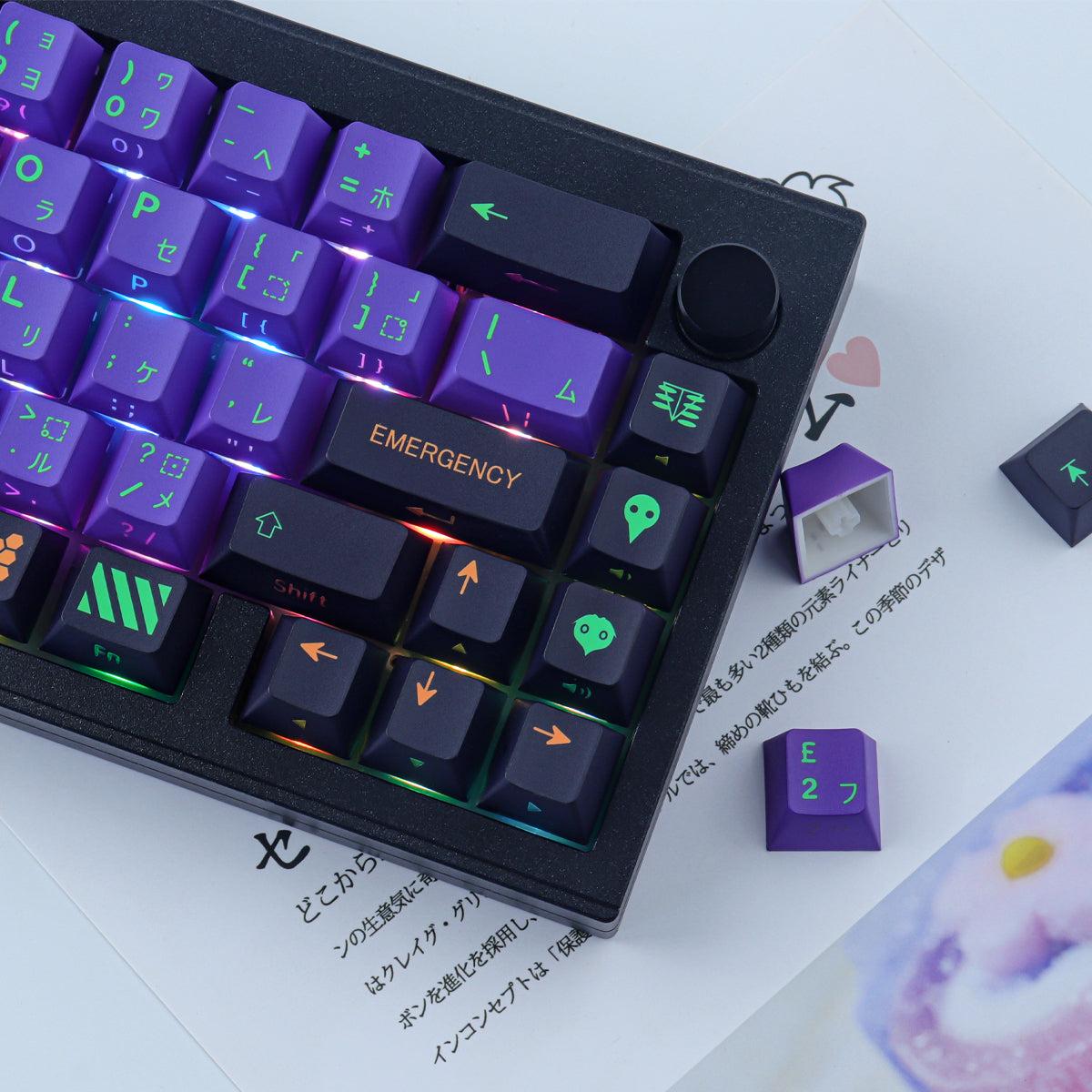
You want your keyboard to feel good every time you use it. The Cherry profile shape of these keycaps fits your fingers well. You get a smooth and natural typing experience. The keys have just the right height and curve, so your hands stay relaxed. You can type or game for hours without feeling tired. The solid PBT material gives each key a sturdy feel. Every press feels satisfying and steady.
Tip: If you spend a lot of time at your keyboard, comfort matters. These keycaps help you enjoy every moment.
Durability and Easy Maintenance
You want your keycaps to last and look great. The EVA-01 Side Light Keycaps use strong PBT plastic. This material resists wear, so the keys do not get shiny or fade. The anti-grease coating keeps fingerprints and smudges away. Cleaning is simple and quick. Here’s how you can keep your keycaps in top shape:
- Use a soft brush to sweep away dust and crumbs.
- Wipe the keycaps with a slightly damp microfiber cloth to remove oils.
- For a deep clean, take off the keycaps with a keycap puller and soak them in warm soapy water for about 15 minutes.
- Gently scrub each keycap with a soft brush, then rinse.
- Let the keycaps air dry before putting them back.
You spend less time cleaning and more time enjoying your keyboard.
Visual Appeal
You want your setup to stand out. The side lighting effect gives your keyboard a cool glow from every angle. The bold colors and sharp legends make each key easy to see. Your desk looks modern and stylish, whether you are working or gaming. Friends will notice your keyboard right away. The design brings a fresh and exciting look to any space.
Installation Guide
Step-by-Step Setup
Ready to upgrade your keyboard? You can install the EVA-01 Side Light Keycaps in just a few minutes. Here’s how you do it:
- Turn off your keyboard. Unplug it to stay safe.
- Remove the old keycaps. Use a keycap puller. Gently lift each keycap straight up.
- Clean your keyboard. Wipe away dust and crumbs with a soft brush or cloth.
- Pick the right keycaps. Match each keycap to its spot. Check the layout chart if you need help.
- Press on the new keycaps. Line up the stem and push down until you hear a click.
- Double-check your work. Make sure every key sits flat and feels secure.
- Plug your keyboard back in. Power it up and test each key.
Tip: Take your time. If a key feels loose, press it again until it fits snugly.
Optimizing Side Lighting
Want your keyboard to glow even brighter? You can make the most of the side lighting with a few simple tricks:
- Use a keyboard with RGB backlighting. The lights shine through the sides for a cool effect.
- Pick light colors like white, blue, or purple. These colors look best with the EVA-01 design.
- Adjust your lighting settings. Try different brightness levels and effects until you find your favorite.
- Keep your desk area dim. The glow stands out more in a darker room.
Note: Clean your keycaps often. Dust and fingerprints can block the light and make the glow look dull.
Now your keyboard looks amazing and works perfectly. Enjoy your new setup!
You get strong PBT material, side lighting, and easy cleaning with EVA-01 Side Light Keycaps. Your keyboard looks cool and feels great. Ready for an upgrade? Check your keyboard’s compatibility. Give your setup a fresh look and enjoy every keystroke.
FAQ
How do I clean my EVA-01 Side Light Keycaps?
You can use a soft brush or a damp cloth. For deep cleaning, remove the keycaps and soak them in warm, soapy water.
Will these keycaps fit my keyboard?
If your keyboard uses Cherry MX-style switches and matches the supported layouts, you’re good to go. They don’t fit Razer, Corsair, Logitech, or Steelseries boards.
Do the side lights work with any keyboard?
You need a keyboard with RGB backlighting. The side lighting effect looks best when your keyboard has bright LEDs under the keys.


